InstaSprink Markup · Phone and tablet
Site markups on a phone or tablet, with or without a signal.
Tap the heads, pipe, risers, notes and photos onto the PDF plans where the job is, then send the office a report before you leave site.
- Works offline for 14 days
- Touch first
- Numbered notes and photos
- Report to the office in one press
Download the InstaSprink Markup brochure
Already have an account? Sign in at app.instasprink.com
Overview
Mark it up on site. Send it before you leave.
InstaSprink Markup is the survey and first-fix tool. The person on site opens the plans on a phone or tablet, marks where everything goes, adds numbered notes and photos, and submits a report the office can price, design or install from.
No signal needed
Everything is kept on the device. It opens, saves and exports offline, and saves go up when the signal is back.
Touch first
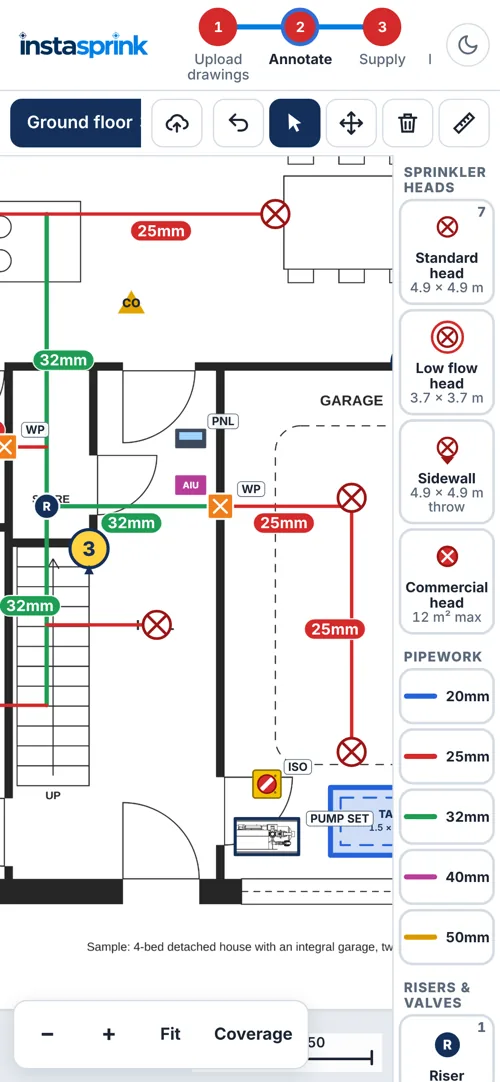
Big targets, a toolbar for select, move, delete and measure, pinch to zoom, and press-and-hold to move anything.
Pipes that snap square
Tap along a route and the pipe stays perpendicular, lining up with the heads. Each length is its own piece.
Notes and photos
Numbered markers on the drawing, reported beside each plan, with the photo pointed the way it was taken.
Report to the office
One PDF with drawings, legend, quantities, estimated fittings, notes and photos. Submit to office emails it.
Your logo on it
The company logo from your InstaSprink account goes on the drawings and the report.
Upload drawings
Start from the plans you already have
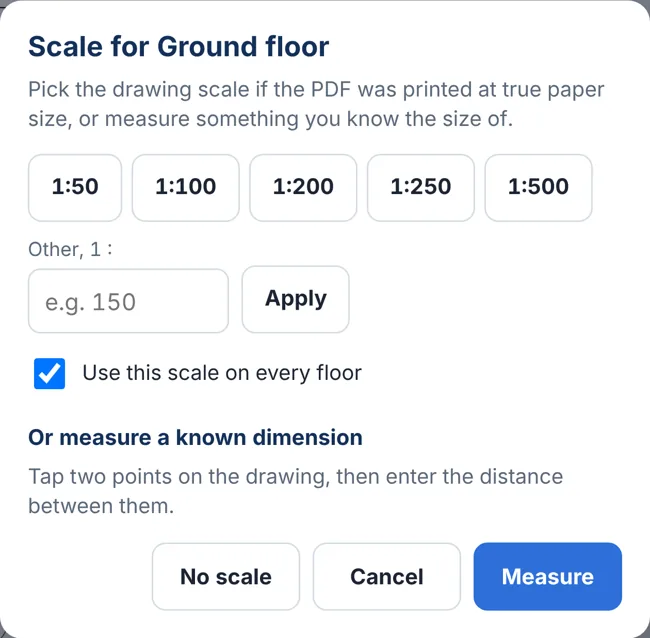
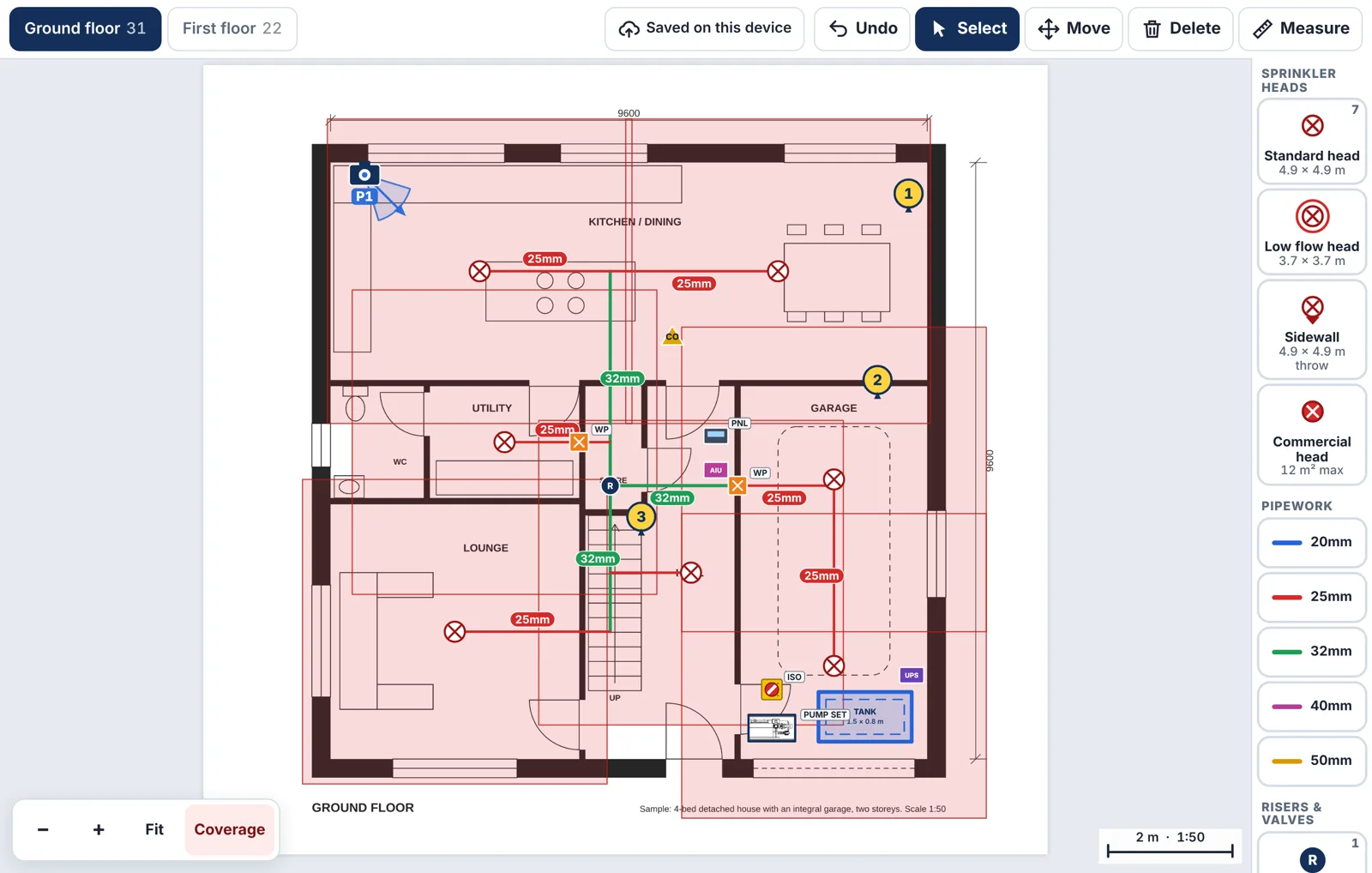
Import the PDF plans and every page becomes a floor. Name the floors, drag them into order, and set a scale where you can: with one you get coverage boxes, pipe lengths and tank sizes; without one you can still mark everything up and the report shows counts.
- Title block in the way? Crop draws one box round the plan, so the title block is left out
- Several floors on one sheet — drag a box round each plan and say which floor it is
- Project details — site, client, reference and who marked it up — go on the report
- Saved as you go on the device, and the marks stay put if you crop a floor or change its page
Annotate
Tap it onto the plan. It counts itself.
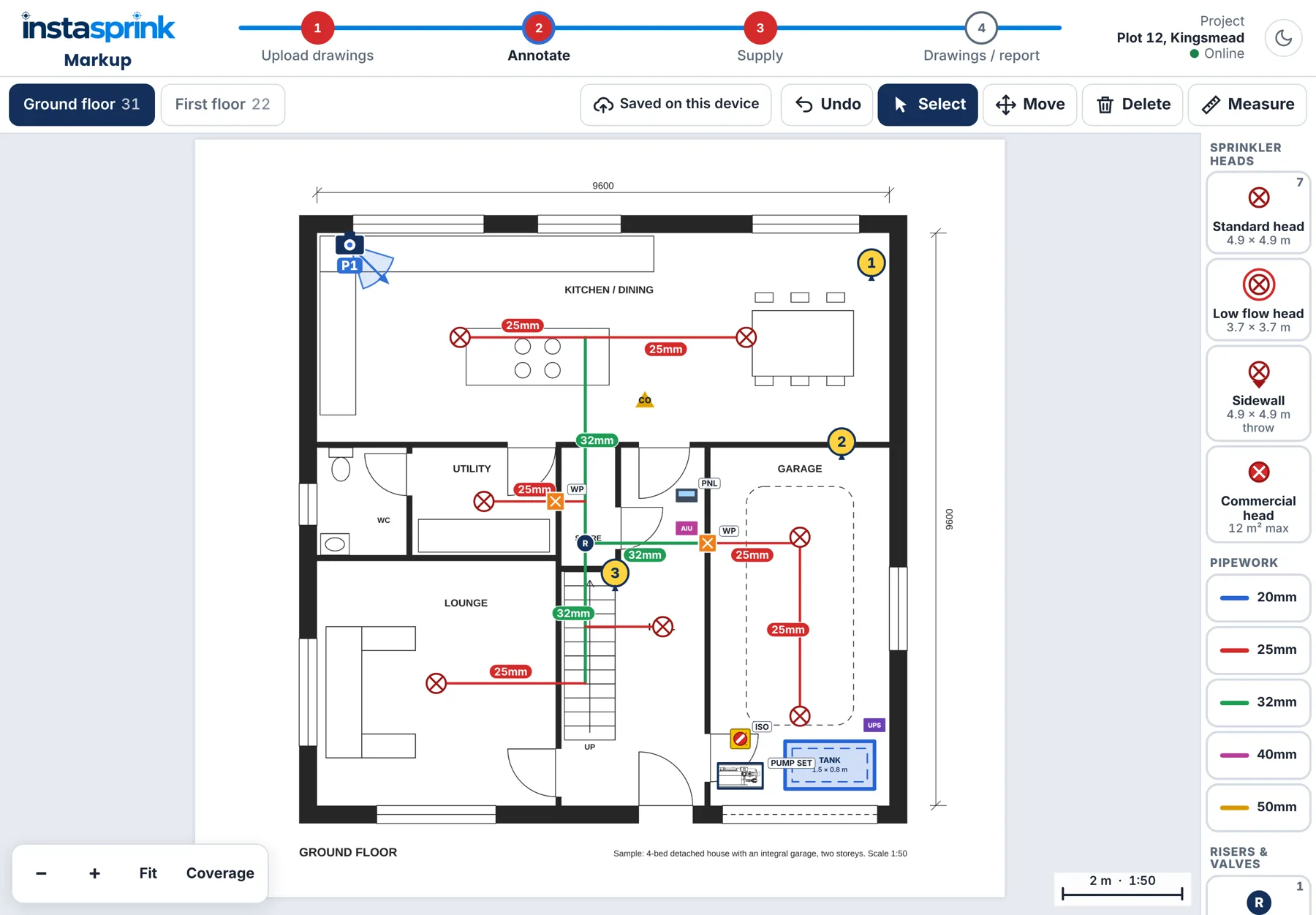
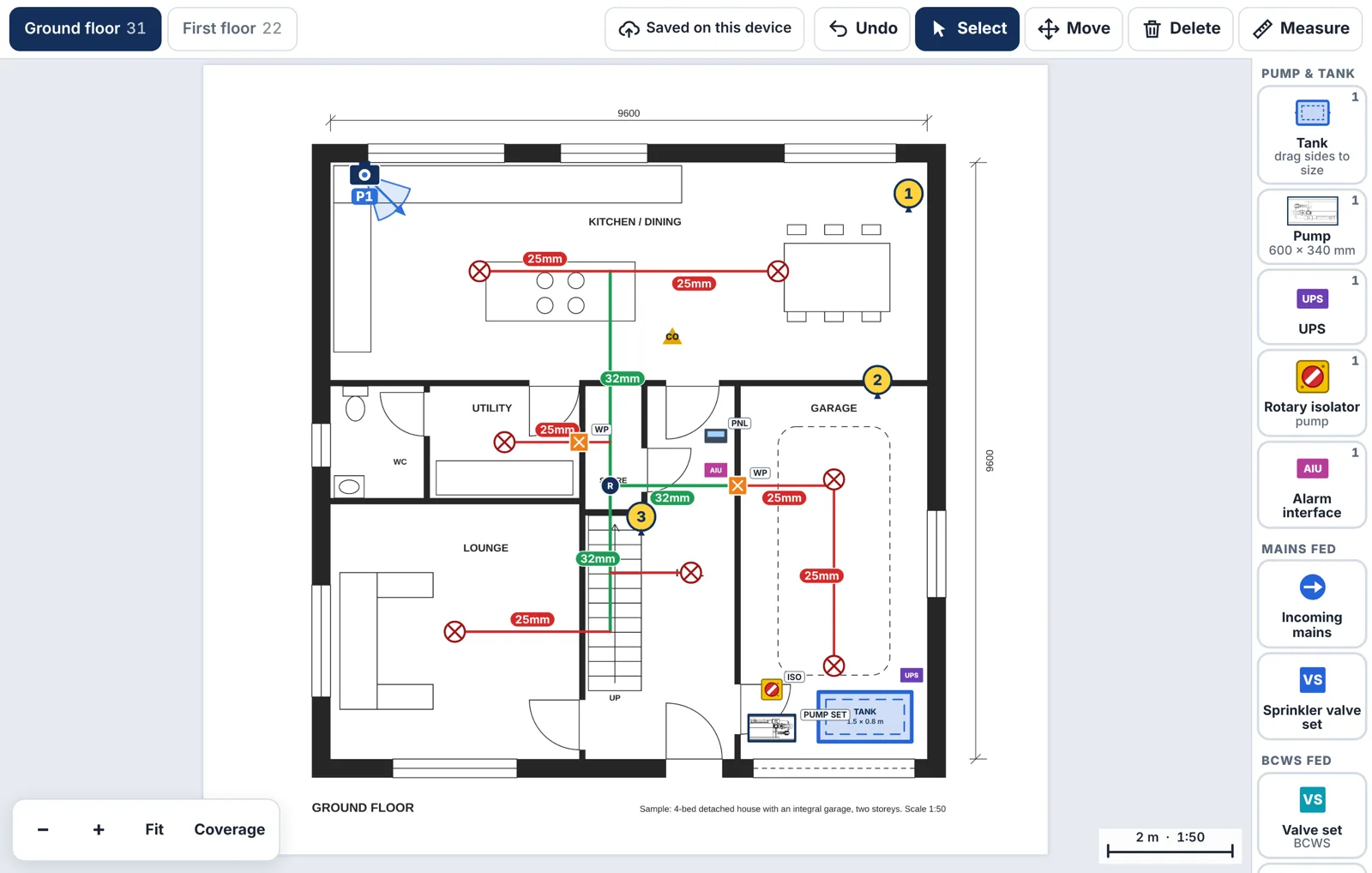
Pick a symbol from the palette and tap the drawing. Heads soft-snap in line with other heads, pipes snap square to the heads, and every item counts itself on the palette and in the floor bar.
- Sprinkler heads: standard 4.9 × 4.9 m, low flow 3.7 × 3.7 m, sidewall with a rotatable throw, and commercial 12 m²
- Pipework by size — 20, 25, 32, 40 and 50 mm; each length can be deleted, re-sized or stretched
- Risers, valves and the rest: zone and isolation valves, wall penetrations, ceiling obstructions, monitoring panel
- A hint for every tool, so a first-time user is never stuck
Notes, photos and measurements
The things a drawing cannot show
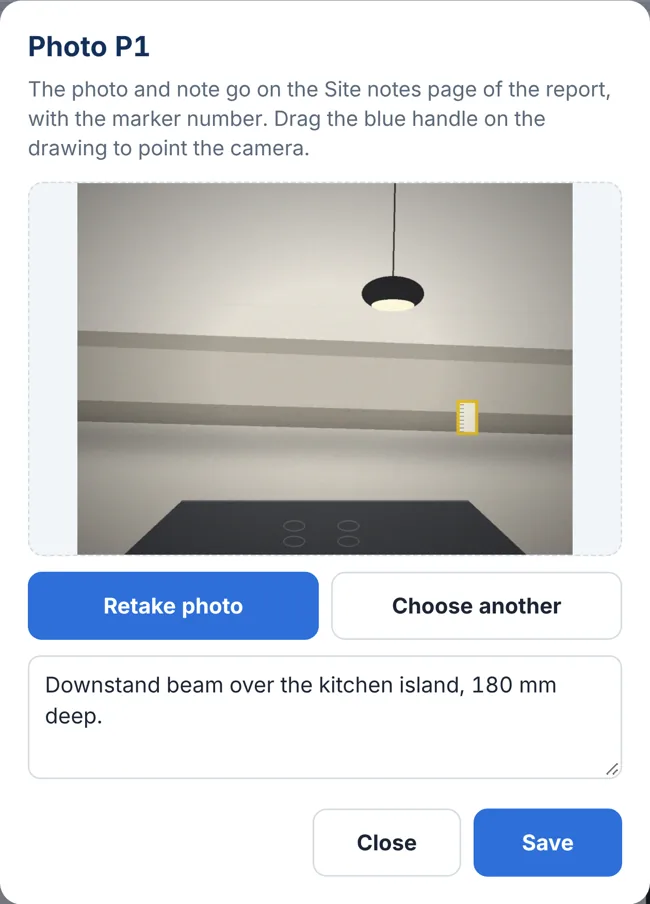
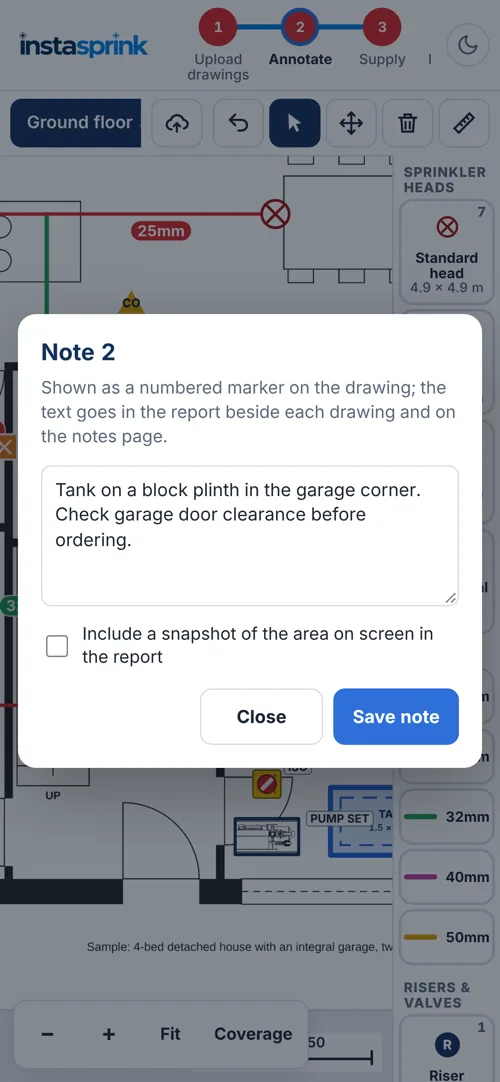
Numbered notes and photo markers go on the plan; the text and pictures go in the report beside each drawing and on a Site notes page, so the office sees exactly what the engineer saw.
- Photos are P-numbered markers with a direction — drag the handle to point the camera the way the photo was taken
- Notes are numbered in order, with an optional snapshot of the area on screen
- Measure two points for a dimension that stays on the drawing and prints in the report
- Move, delete, undo — press and hold to move, Delete mode to clear several, Undo for the lot
Supply
Mark where the water comes from
One item per press, from three groups, each with a code on the drawing and a line in the quantities. The tank is a box you drag to size; with a scale set it reports its plan size in metres.
- Pump & tank: tank, pump set, UPS, rotary isolator and alarm interface unit
- Mains fed: incoming mains with a rotatable direction arrow, and the sprinkler valve set
- BCWS fed: valve set and priority demand valve for boosted cold water supplies
Drawings and report
One PDF, ready for the office
The marked-up drawings, a legend, the quantities, the fittings estimated from the pipe layout, and the site notes and photos. Preview it on the device, download it, or send it to the office in one press.
- Save to account — kept with the company's projects, with who saved it and when. With no signal the save waits and goes up by itself
- Submit to office emails the owner and admins, Reply-To the person on site, with the summary, an Open link and the PDF attached
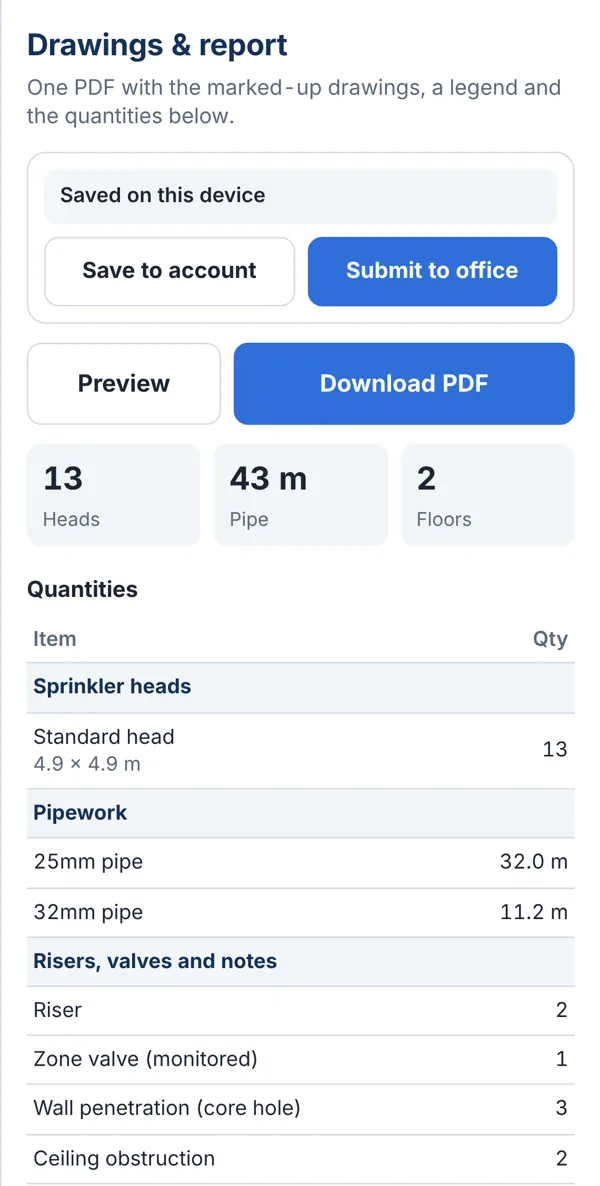
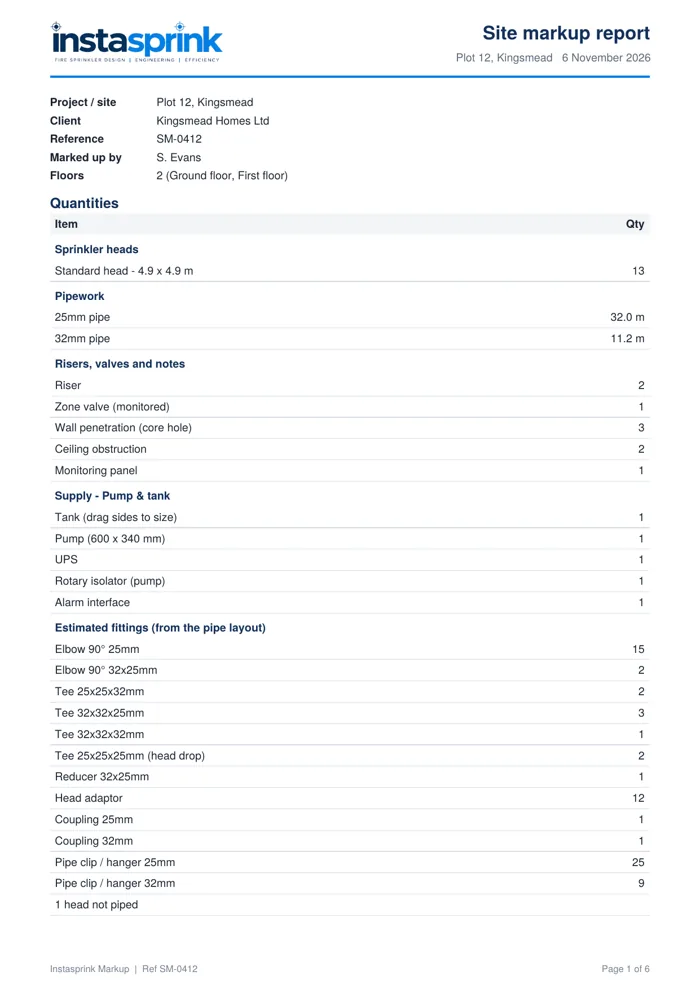
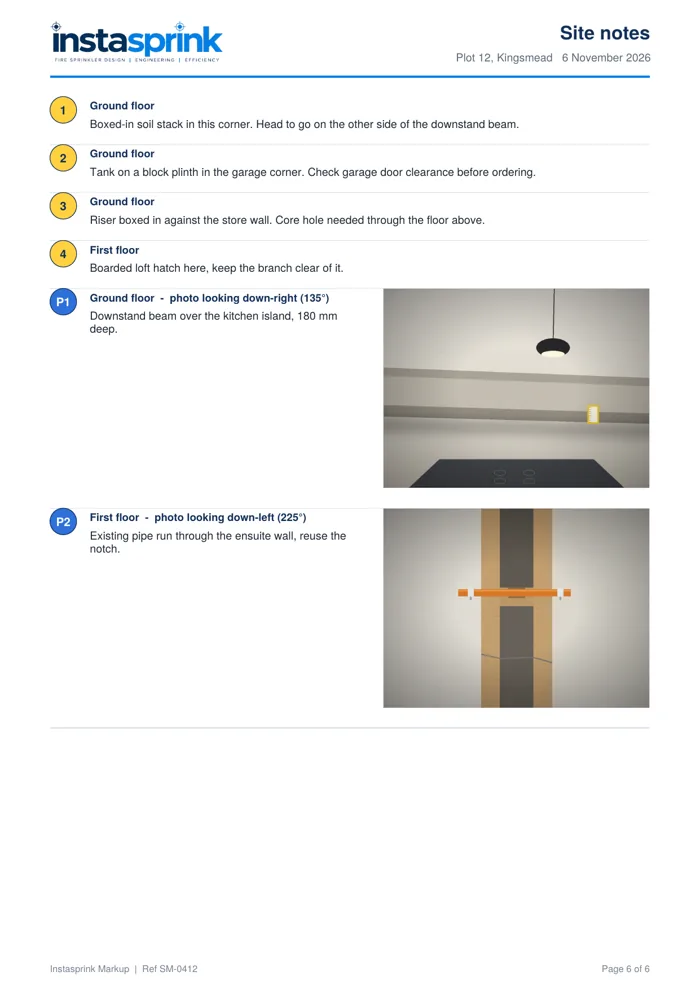
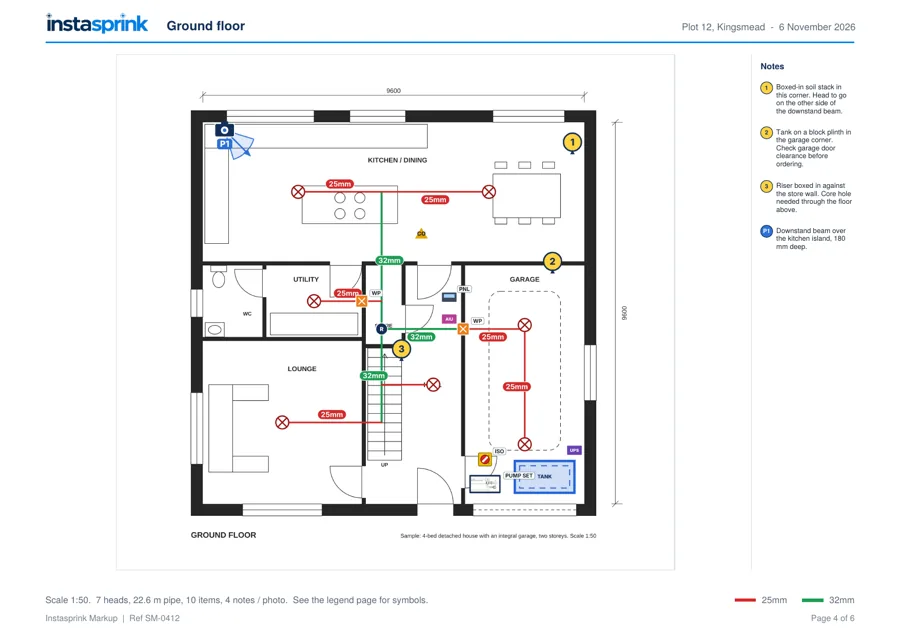
The report: quantities and estimated fittings · site notes with every photo · each floor on its own page, with its scale noted · the legend.
Built for the way site work happens
Nothing to install. Done before you leave site.
No signal, no problem
Lofts, basements and new-build sites have no reception. Markup opens from the device for 14 days and syncs when it can.
Opens like an app
Add to home screen on any phone or tablet. Runs in the browser from your InstaSprink account — no app store, nothing to update.
Office sees everything
Owners and admins open every markup and download its report without a seat, with a 30-day bin and nightly backup.
Counts for the quote
Heads, pipe lengths, fittings, clips and supply items, straight from the markup, ready for InstaSprink Estimate.
Nothing lost
If two people save the same markup, the second is kept alongside as a copy. Undo covers every change.
On its own or in the Package
Licensed per user, or included in the Package, which covers every InstaSprink tool. One Package login can have Design open in the office and Markup open on site at the same time.
Site and office together. The engineer marks it up on site; the office prices it in InstaSprink Estimate and designs it in InstaSprink Design, all from one account.
Try it on your next site visit
Start your free 14-day trial of InstaSprink Markup
Create an account at app.instasprink.com and start a full trial, so your engineers can mark up a real job on their own phones and tablets.
- info@instasprink.com
- Sign up or sign in
- app.instasprink.com
- Web
- instasprink.com
Quantities are taken from the site markup and are indicative; pipe lengths are plan lengths only, with no allowance for drops, risers or waste. Fire stopping to penetrations by others. The offline period is set by the account; the report is attached to the office email when it is 7 MB or less. Licences are per named user, monthly or annual, and can be cancelled at any time. Screens show a sample project.